How to recover old URLs and build a redirect map
Where a site's old addresses can be found once the site has gone, how messy those lists are, and how to turn them into a one-hop redirect map ranked by evidence, with a worked example and rules for Apache, nginx and _redirects.
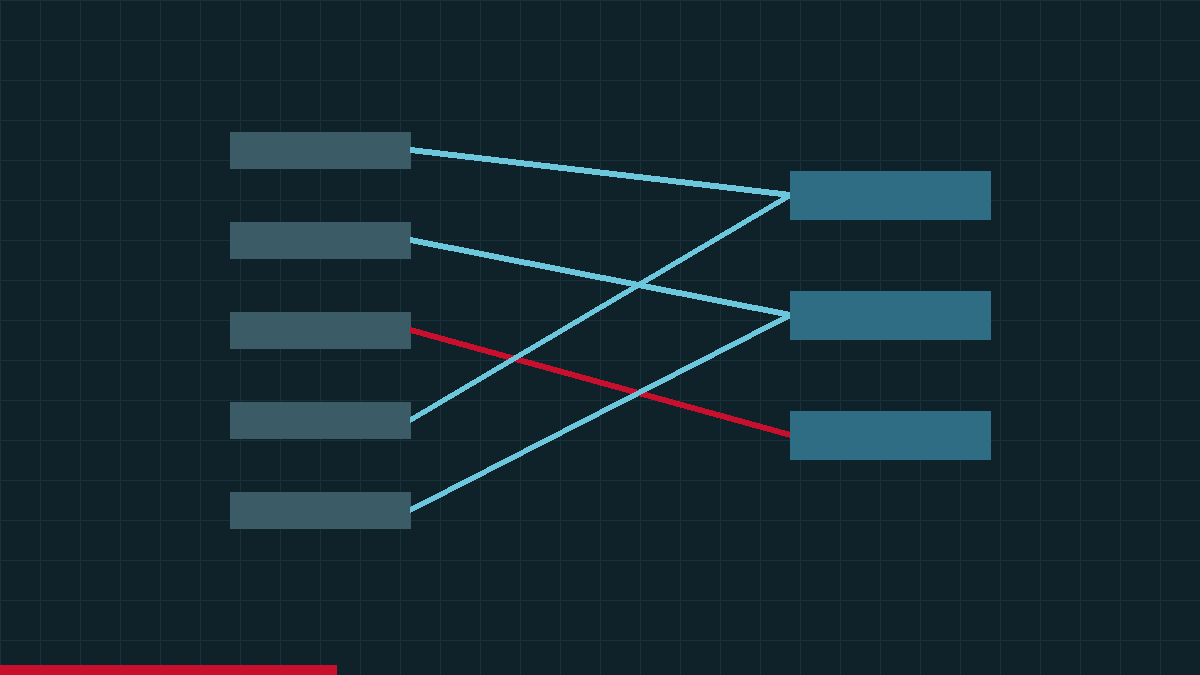
A redirect map has two columns: the addresses the old site used, and where each one should go now. The right-hand column is a matter of judgement. The left-hand column is where most redirect projects quietly fail, because nobody holds a complete list of old URLs, least of all after a site has been offline for a year or has changed hands.
This guide is about building that list from evidence: where old URLs can come from, what each source gets wrong, how to clean and rank them, and how to turn them into rules that send each one, in a single hop, to a page that does the same job. It is the detailed version of the inventory and mapping steps in how to rebuild an old website without losing its SEO, which covers the rest of a launch.
Where old URLs come from
No single source is complete. Google's site-move guide suggests looking in your sitemaps, server logs or analytics, the Links report in Search Console, and your content management system. When the site has gone, public web archives and backlink data join the list, and often lead it.
Sources of historical URLs compared
| Source | What it gives you | Strengths | Weaknesses | What you need |
|---|---|---|---|---|
| Public web archives (Wayback CDX index) | Addresses the archive captured, with capture date, file type and HTTP status | Works when the site has gone; shows which pages existed in which years; status codes separate real pages from redirects and errors | Only what crawlers found: misses orphan pages, password-protected areas and much JavaScript-generated navigation; includes junk and post-lapse captures | Time, and a polite query rate |
| Old XML sitemaps (live, or archived copies) | The site's own list of pages, often with dates | Written by the site itself, so close to its intended structure | Often incomplete or stale; an archived copy reflects only the day it was captured | The live file, or an archived capture of it |
| Analytics exports | Landing pages that received visits | Shows what people actually used, weighted by traffic | Covers only the period and pages that were tracked; pages with no visits do not appear | Access to the old account |
| Search Console exports | Pages with search impressions and clicks; linked pages from the Links report | Google's own record of which URLs mattered in search | Limited to what the property recorded and what was exported | Verified access to the property, ideally exports saved before the site went |
| Backlink data | Old URLs that other sites link to, with the linking domains | Identifies the URLs where a redirect does most good; useful years after the site went | Third-party crawl data with its own gaps; tools disagree on counts; includes spam links | A backlink tool or an export from one |
| Server logs | Every URL requested by people and bots, including those that failed | Complete for the period covered; reveals URLs no other source lists | Needs the old host's logs; noisy with bots and vulnerability scans | Access to the old hosting, or archived logs |
| CMS or database export | Every published post, page and product, with its slug | The fullest list of content the site meant to publish | Says nothing about value; may miss custom routes, files and earlier redirects | A backup, or the old admin login |
| Old redirect files | Redirects the previous site already had | Reveals earlier generations of URLs that may still carry links | Only available from a backup; may hold stale or conflicting rules | A copy of the old server configuration |
Querying the Wayback Machine's CDX index
For a site that has gone, the archive's CDX index is usually the first thing to query, because it lists the addresses the Wayback Machine captured, each with a capture date, a file type and the HTTP status the crawler received. Two requests do most of the inventory work. The first lists every captured address on the domain and its subdomains, roughly one line per address:
https://web.archive.org/cdx/search/cdx?url=example-domain.test&matchType=domain&collapse=urlkey
The second finds the addresses the old site was already redirecting. Some may still carry links from an earlier version of the site, so they belong in your map too:
https://web.archive.org/cdx/search/cdx?url=example-domain.test&matchType=domain&filter=statuscode:3..&collapse=urlkey
From there, add filter=statuscode:200 and filter=mimetype:text/html to see which addresses were ever captured as working pages, and from= and to= to split a large site by year, because a single query is capped. What each parameter does, the seven fields on every line and how to query the index without overloading it are covered in how Wayback Machine restoration works. For a quick look before you script anything, the Internet Archive's help pages point to a browser view of the form web.archive.org/*/www.yoursite.com/* that lists every archived file for a site.
Two cautions matter for an inventory. The archive is a sample: the Internet Archive says some sites are missed because its crawlers "were unaware of their existence at the time of the crawl", and that "If there are no links to your pages, the robot won't find it". And it records whatever happened at an address after the real site ended, which the cleaning step below deals with.
Old sitemaps in the archive
Ask the CDX index for /sitemap.xml, /sitemap_index.xml and any sitemap address named in an archived robots.txt. If the archive captured them, they are the old site's own statement of what it published. Captures from different years show how the structure changed, which helps when one old URL pattern replaced another.
Backlinks: the URLs that matter most
A backlink export lists the old URLs that other sites link to and how many separate sites link to each. For redirect planning it is the most valuable source on the list, because an inbound link keeps bringing visitors whether or not anyone remembers the old site. It is still third-party crawl data, so treat the counts as estimates, expect tools to disagree, and discount obviously spammy links. Rank by the linking sites you can actually see rather than a tool's score: Google has said that third-party "reputation" or "authority" scores "don't correspond to any of Google's own signals".
Clean the list before you judge it
Raw exports from these sources list the same page many times over. Normalise every URL to one form before you count, rank or map anything, but keep the original variants alongside: the redirect rules have to catch the forms that people actually link to.
Common URL variants and what to do with them
Example addresses use the fictional example-domain.test.
| Variant | Example | What to do |
|---|---|---|
| Protocol | http://example-domain.test/about and https://example-domain.test/about | Treat as one page. Redirect http to https at the server, in the same hop as any path change. |
| Host | www.example-domain.test and example-domain.test | Choose one host for the new site and redirect the other. Count evidence for both forms against one page. |
| Trailing slash | /services and /services/ | Choose one form and redirect the other; a server can treat them as different addresses. |
| Letter case | /About-Us and /about-us | Paths can be case-sensitive, depending on the server. Lower-case them for analysis, and add rules for mixed-case forms that have links. |
| Default documents | /index.php, /index.html, /blog/index.html | Map to the folder or clean URL they served. |
| File extensions | /contact.html, /contact.php | Map to the clean new URL, but match the old form in the rule, because that is what links point to. |
| Query strings that select content | /portfolio.php?id=17 | A different page for each value. Keep the parameter and map each value that has evidence. |
| Tracking and session parameters | ?utm_source=newsletter, ?sessionid=8f3a | Not separate pages. Strip them when counting and fold the evidence into the base URL. |
| Fragments | /faq#delivery | The part after # is not sent to the server, so it cannot be redirected server-side. Map the base URL. |
| Encoded characters | /caf%C3%A9 and /café | Decode for analysis; test the encoded form against your rules. |
Then set aside what is not a page. Keep images, PDFs and other downloads on a list of their own rather than deleting them: Google's site-move guide notes that images and downloads "might already be getting traffic from Google Search or links". Old theme files, scripts and stylesheets rarely need redirects once no page uses them. Finally, flag anything from the archive that post-dates the real site, such as parking pages, registrar holding pages or redirects to unrelated sites, and any pattern that looks injected, such as hundreds of pharmacy or casino paths in a site's final months. Those are not part of the site you are rebuilding, though they still need a decision.
Classify every address
| Decision | When it fits | What the server returns |
|---|---|---|
| Keep | The new site has the page at the same address. | 200 at the old URL; no rule needed |
| Redirect to the equivalent | A new page answers the same need at a different address. | 301 (or 308) to that page |
| Merge | Several overlapping old pages are replaced by one new page. | 301 from each old URL to the merged page |
| Retire | No equivalent exists and none should be created. | 404 or 410, with a useful not-found page |
| Needs a human | The evidence is unclear, or the answer is a business decision. | Nothing yet: hold it until someone decides |
The destination to avoid is the default. A rule that sends every unmatched URL to the homepage is easy to write and unhelpful to everyone who hits it: a visitor who followed a link to a specific article gets a generic page and has to start again. Google's site-move guide says that redirecting many old URLs "to one irrelevant single URL destination, such as the home page of the new site" can "confuse users and might be treated as a soft 404 error". A clear not-found page with search and clear navigation serves that visitor better than a redirect that pretends to answer the question.
Choosing between 404 and 410 is a matter of accuracy, not speed. RFC 9110 prefers 410 when the server knows the condition "is likely to be permanent"; Google says 4xx codes other than 429 "are treated the same". Pick whichever is true.
Prioritise by evidence
A small site can be mapped by hand in an afternoon. A site with thousands of recovered addresses needs an order of work, and that order should follow evidence of value, not how the URLs look. The useful evidence, roughly in order of weight:
- Separate sites linking to the URL. The number of distinct linking domains says more than the raw link count, which a single sitewide footer can inflate.
- Historic search and visitor traffic, if you have analytics or Search Console exports.
- Archive evidence of a real page: captures with a 200 status, several distinct versions over the years (the digest field changes when the captured content changes), and a last working capture near the site's final period.
- Content type. Substantial guides, service and product pages and downloadable files usually matter more than tag archives, paginated lists and internal search results.
That evidence sorts addresses into tiers. The thresholds are yours to set from the shape of the data; the table shows one way to do it.
An illustrative way to tier recovered URLs
These tiers are an example, not a standard. A tier describes how much evidence exists for an address, not a forecast of its value.
| Tier | Typical evidence | Treatment |
|---|---|---|
| 1 | Links from several distinct sites, or meaningful historic traffic | Map by hand to the closest equivalent; create the page if the need still exists; test each one individually |
| 2 | One or two linking sites, or repeated working captures over several years | Map individually, or with a pattern rule you have tested |
| 3 | No links, no traffic data, few captures | Map with a pattern where a clean equivalent exists; otherwise retire |
| Hold | Links but no recoverable content, or content the new site cannot stand behind | A human decides before launch |
Worked example: example-domain.test
This example is fictional. example-domain.test uses the reserved .test suffix, and every address, count and decision below was made up to illustrate the method.
A small garden-design business ran its site on example-domain.test from about 2012 to 2022. Its hosting account was then closed and the backups went with it, though the business kept the domain. It is now rebuilding on a new platform with clean addresses. There are no analytics, no Search Console exports and no server logs. The inventory came from a CDX query, an archived 2019 sitemap and a backlink export. After normalising, eleven addresses had enough evidence to deserve an individual decision.
Worked example (fictional): redirect map for example-domain.test
Fictional data. Evidence counts are invented for illustration.
| Old URL | Evidence | New URL | Action | Reason |
|---|---|---|---|---|
| /index.php | Homepage; working captures 2012 to 2022; links from many sites | / | 301 | A default document; the homepage maps to the homepage |
| /about-us/ | Working captures 2012 to 2022; links from 2 sites | /about-us/ | Keep | The new site uses the same address, so no rule is needed |
| /services.php | Working captures 2012 to 2022; links from 6 sites; in the 2019 sitemap | /services/ | 301 | Same page, clean address |
| /services/garden-design.php | Working captures 2015 to 2022; links from 11 sites | /garden-design/ | 301 | The most-linked inner page; the service still exists |
| /blog/2016/05/choosing-paving-for-clay-soil.html | Working captures 2016 to 2022; links from 14 sites | /guides/paving-on-clay-soil/ | 301 | A rewritten, updated guide answers the same question |
| /blog/2017/02/lawn-care-tips.html | Working captures 2017 to 2022; links from 2 sites | /guides/lawn-care/ | 301 (merge) | Overlaps with the next post; one new guide replaces both |
| /blog/2018/04/lawn-care-in-spring.html | Working captures 2018 to 2022; links from 1 site | /guides/lawn-care/ | 301 (merge) | Merged into the same guide |
| /portfolio.php?id=17 | Working captures 2014 to 2022; links from 3 sites to this project | /projects/walled-garden/ | 301 | The parameter selects one project, which gets its own page |
| /blog/2014/03/spring-newsletter.html | 2 captures; no links | None | 410 | Dated news with no lasting use and no links |
| /shop/ | Working captures 2019 to 2021 only; links from 5 sites; sold seed kits | Undecided | Needs your decision | The new site sells nothing; the owner must choose between a new page and retiring it |
| /cheap-meds-uk/ | Captures in 2022 only; spam links | None | 410 | Injected while the site was compromised; never part of the real site |
Three decisions in that map are easy to get wrong. The two lawn-care posts are a genuine merge: one new guide replaces both, so both redirect to it, which Google's site-move guide allows for content consolidated onto a single page. The portfolio address carries its meaning in the query string, so a rule matching only the path /portfolio.php would send every project to the same place; the rule has to read id=17. And /shop/ is not forced into an answer. It has links, but the business no longer sells seed kits, so whether to build a new page or retire the address is the owner's decision, not the spreadsheet's.
The spam path is recorded and retired rather than ignored. If it attracted links while the site was compromised, requests for it will keep arriving, and a 410 tells every client that the content is intentionally gone.
Write the rules
How you implement the map depends on where the site runs. The rules below implement part of the example. They are illustrative: test them on a staging copy, and check your server's or host's documentation for the exact syntax it supports. Put specific rules before general ones, and handle protocol and host in the same hop as the path, so that nobody arriving on http://www. needs two redirects to reach the right page.
Apache (.htaccess with mod_rewrite)
The path rules come first and use absolute destinations, so a request on any protocol or host lands in one hop. The catch-all host and protocol rule goes last. Behind a CDN or proxy, check how your host reports HTTPS before relying on the %{HTTPS} test.
Apache rules for part of the example (illustrative)
| Rule | What it does |
|---|---|
| RewriteEngine On | Turns on mod_rewrite for the rules that follow |
| RewriteRule ^services\.php$ https://example-domain.test/services/ [R=301,L] | Sends the exact old path to its new page in one hop |
| RewriteRule ^blog/2017/02/lawn-care-tips\.html$ https://example-domain.test/guides/lawn-care/ [R=301,L] | One of the two merged posts |
| RewriteCond %{QUERY_STRING} ^id=17$ | Applies the next rule only when the query string is exactly id=17 |
| RewriteRule ^portfolio\.php$ https://example-domain.test/projects/walled-garden/ [R=301,L,QSD] | Redirects that project and drops the old query string (the QSD flag is Apache 2.4) |
| RewriteRule ^blog/2014/03/spring-newsletter\.html$ - [G] | Returns 410 Gone for a retired page |
| RewriteCond %{HTTPS} off [OR] | Last: catches any remaining plain-http request |
| RewriteCond %{HTTP_HOST} ^www\. [NC] | or any remaining request on the www host |
| RewriteRule ^ https://example-domain.test%{REQUEST_URI} [R=301,L] | and sends it to the same path on the one chosen host |
nginx
Exact-match location blocks suit a handful of addresses; a map is easier to maintain for a long list. The plain-http and www server blocks should apply the same rules with absolute destinations, rather than bouncing every request to the chosen host first.
nginx rules for part of the example (illustrative)
| Rule | What it does |
|---|---|
| location = /services.php { return 301 https://example-domain.test/services/; } | Exact-match location with one permanent redirect |
| location = /blog/2014/03/spring-newsletter.html { return 410; } | Returns 410 Gone for a retired page |
| location = /portfolio.php { if ($arg_id = "17") { return 301 https://example-domain.test/projects/walled-garden/; } } | Redirects only the project selected by id=17; other values fall through to a 404 |
| map $uri $new_uri { /services/garden-design.php /garden-design/; /blog/2016/05/choosing-paving-for-clay-soil.html /guides/paving-on-clay-soil/; } | A lookup table for long lists, declared once in the http block; unlisted paths get an empty value |
| if ($new_uri) { return 301 https://example-domain.test$new_uri; } | Applies the lookup table; put it in each server block that answers for the old site |
A _redirects file
Some static hosts read a plain-text _redirects file with one rule per line: the old path, the new path and the status code. Retired pages need no line, because a page that does not exist gets the host's not-found response; check that it returns a real 404 status. Support for query-string matching and for status codes other than redirects varies between hosts that read this format, so check your host's documentation before relying on either.
_redirects lines for part of the example (illustrative)
| Line | What it does |
|---|---|
| /services.php /services/ 301 | One permanent redirect |
| /blog/2017/02/lawn-care-tips.html /guides/lawn-care/ 301 | One of the merged posts |
| /blog/2018/04/lawn-care-in-spring.html /guides/lawn-care/ 301 | The other merged post |
| /news/* /guides/:splat 301 | A wildcard rule. Only safe when every old address under the path has a same-named equivalent, which is why the example's blog posts are mapped one by one instead |
Test the map, then keep testing
Run the whole old-URL list, variants included, against a staging copy before launch and against the live site afterwards. For each URL, record every hop and its status code; a crawler in list mode does this, and so does a short script around a command-line HTTP client. A pass looks like this:
- Redirected URLs make exactly one hop, return 301 or 308, and land on the mapped URL, which returns 200.
- Kept URLs return 200 at the old address.
- Retired URLs return 404 or 410, never a 200 page that says "not found", which Google reports as a soft 404.
- There are no loops, and no chain longer than one hop without a reason you can name. Google's crawler "generally follows 10 redirect hops", but its site-move guide advises redirecting "to the final destination directly".
- The http, www, trailing-slash and mixed-case forms of your Tier 1 URLs also arrive in one hop.
After launch, the work becomes monitoring. In Search Console's Page indexing report, "Redirect error" covers chains that are too long, loops and bad URLs in a chain, and unexpected "Not found (404)" entries are usually old URLs missing from the map. Server logs are the best source of addresses nobody found during the inventory: filter for 404s on old-looking paths, give each one a decision and add it to the map. Keep the map as a maintained document next to the rules, and keep the redirects in place. Google's site-move guide says "generally at least 1 year", and from users' perspective suggests "keeping redirects indefinitely".
How DropOps Sites builds the map
DropOps Sites, our website builder for domains you own, follows this method when it rebuilds on a domain with history. It reads the old addresses and a sample of old pages from public web archives such as the Internet Archive's Wayback Machine, then gives each important address one of the decisions above, or a clean new address reached by a single 301. The decisions rest on evidence such as linking sites and archive records, not on the AI. It does not create chains or loops or send old pages to the homepage, and an address whose evidence could not be gathered goes to human review rather than being retired silently. The HTML export carries the finished map as .htaccess 301s and a _redirects file, alongside a sitemap and a 404 page.
Addresses are the structural half of bringing a site back. For the content half, see how to restore a website from the Wayback Machine.
Sources
- How to move a site (Site Moves and Migrations) — Google Search Central, 2026-08-20
- How HTTP status codes affect Google's crawlers — Google, 2026-02-04
- Page indexing report — Google Search Console Help
- Troubleshoot Google Search crawling errors — Google Search Central, 2025-12-18
- What web creators should know about our March 2024 core update and new spam policies — Google Search Central Blog, 2024-03-05
- RFC 9110: HTTP Semantics — IETF (RFC Editor), 2022-06
- Wayback CDX Server API - BETA (README) — Internet Archive (GitHub)
- Using The Wayback Machine — Internet Archive Help Center
Related reading

How to rebuild an old website without losing its SEO
A rebuild keeps its search visibility when every old address gets a deliberate decision, redirects go straight to the right page and the new site's signals agree. This guide covers live sites and sites that have already gone.

How Wayback Machine restoration works: a technical guide
For developers and technical SEOs: how captures are made, how to query the Wayback CDX API, why an empty Availability API answer proves nothing, and a restoration pipeline from discovery to validation.

How to restore a website from the Wayback Machine
A practical UK guide to rebuilding a lost website from public web archives: finding and choosing captures, what will be missing and why, who owns the words and pictures, and how to keep the old addresses working.